 F-GEN
Home / Features / Employee App
Employee App
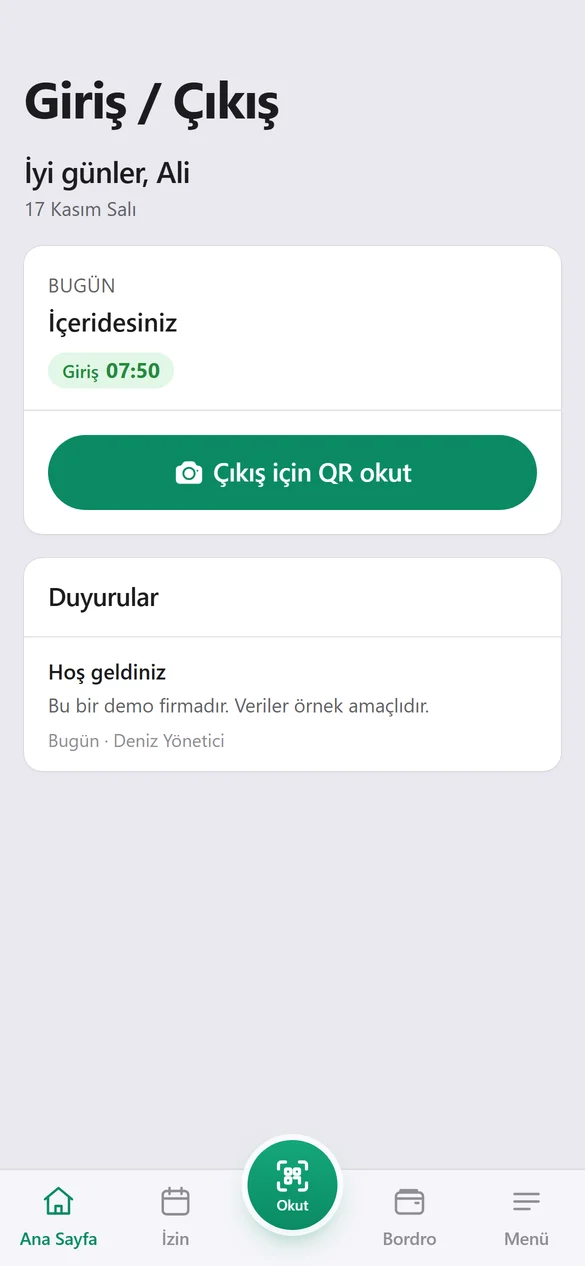
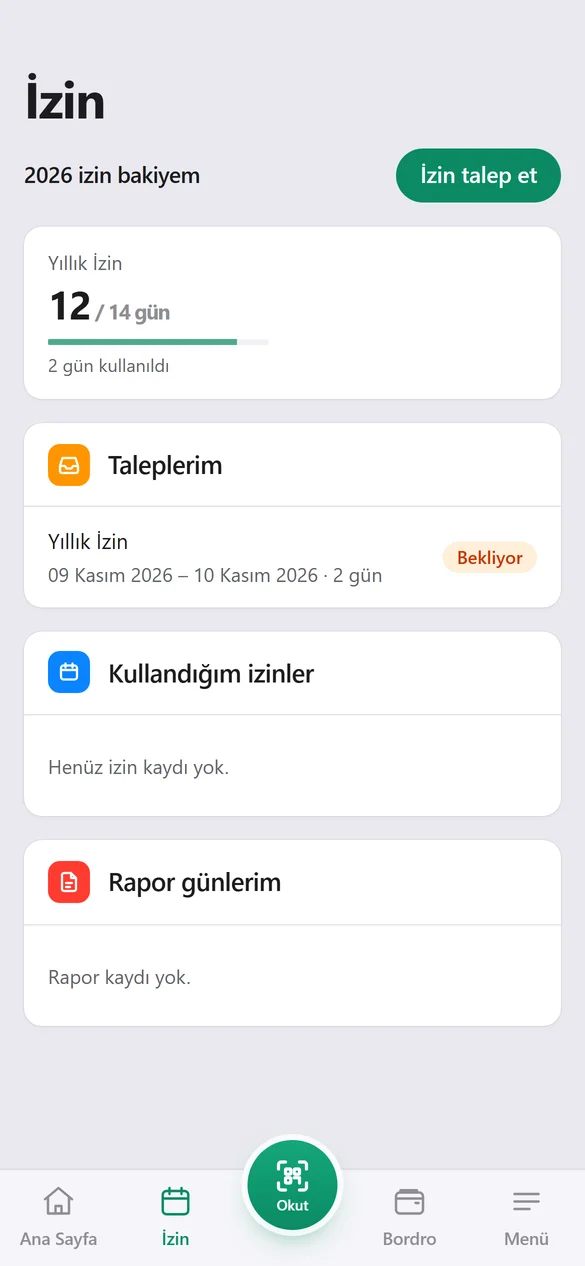
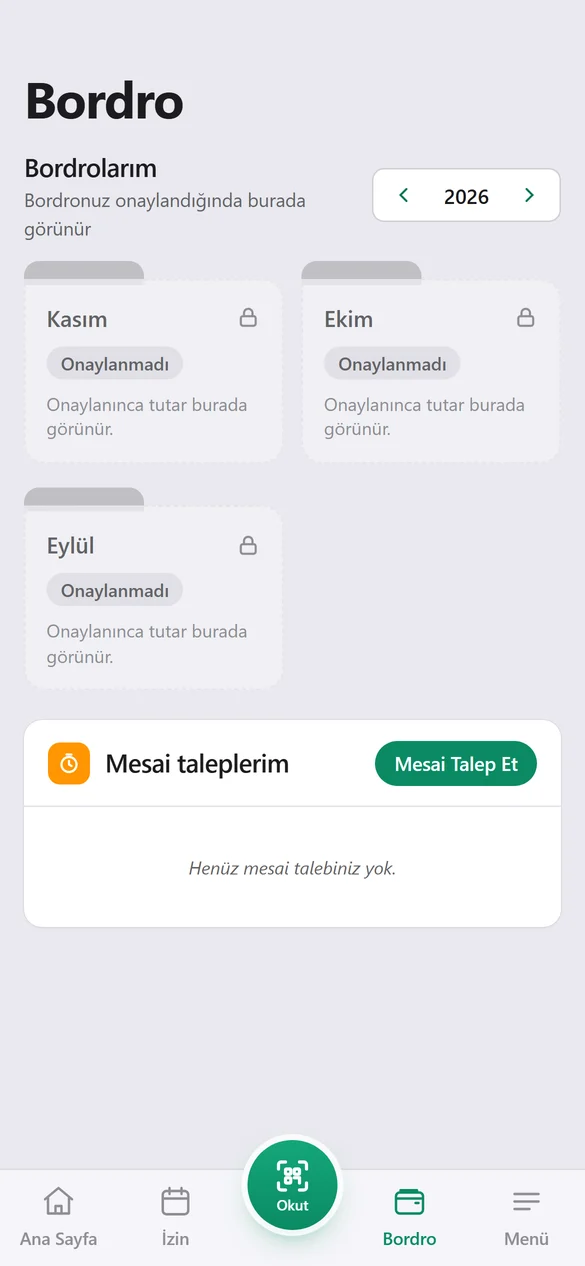
Employees clock in and out, request leave and advances, and see their payslips and remaining leave. The app is on the App Store and Google Play.
How it works
Step by step
Download
The employee downloads the F-GEN app from the App Store or Google Play.
Sign in
They sign in with the company code and the details they were given.
Use
Scan the QR code, send requests, read announcements.
Stay informed
Approvals, announcements and reminders arrive as notifications.
Details
What you can do with Employee App
Clock-inQR scanning and the day’s records.
LeaveRemaining leave, requests and past leave.
PayslipMonthly payslip and PDF.
Advances and expensesSend requests and follow their status.
AnnouncementsCompany announcements and notifications.
DocumentsPersonal documents and assigned equipment.
Questions
Frequently asked
Which phones does it run on?
iPhone and Android phones.
Can employees see other people’s data?
No, every employee sees only their own data.
Is the app paid?
The app is free; it works with your company’s F-GEN subscription.
Other features
More of F-GEN
Time and AttendanceQR clock-in by phone with location checkTimesheets and Attendance LogAutomatic timesheets, tracked correctionsLeave ManagementEntitlements by seniority, requests and approvalsPayroll CalculationOvertime, deductions and advances includedFiko AssistantAsk questions about your records
Try it free for 14 days.
We open an account for your company and help with setup and importing your employees.