 F-GEN
Home / Features / Timesheets and Attendance Log
Timesheets and Attendance Log
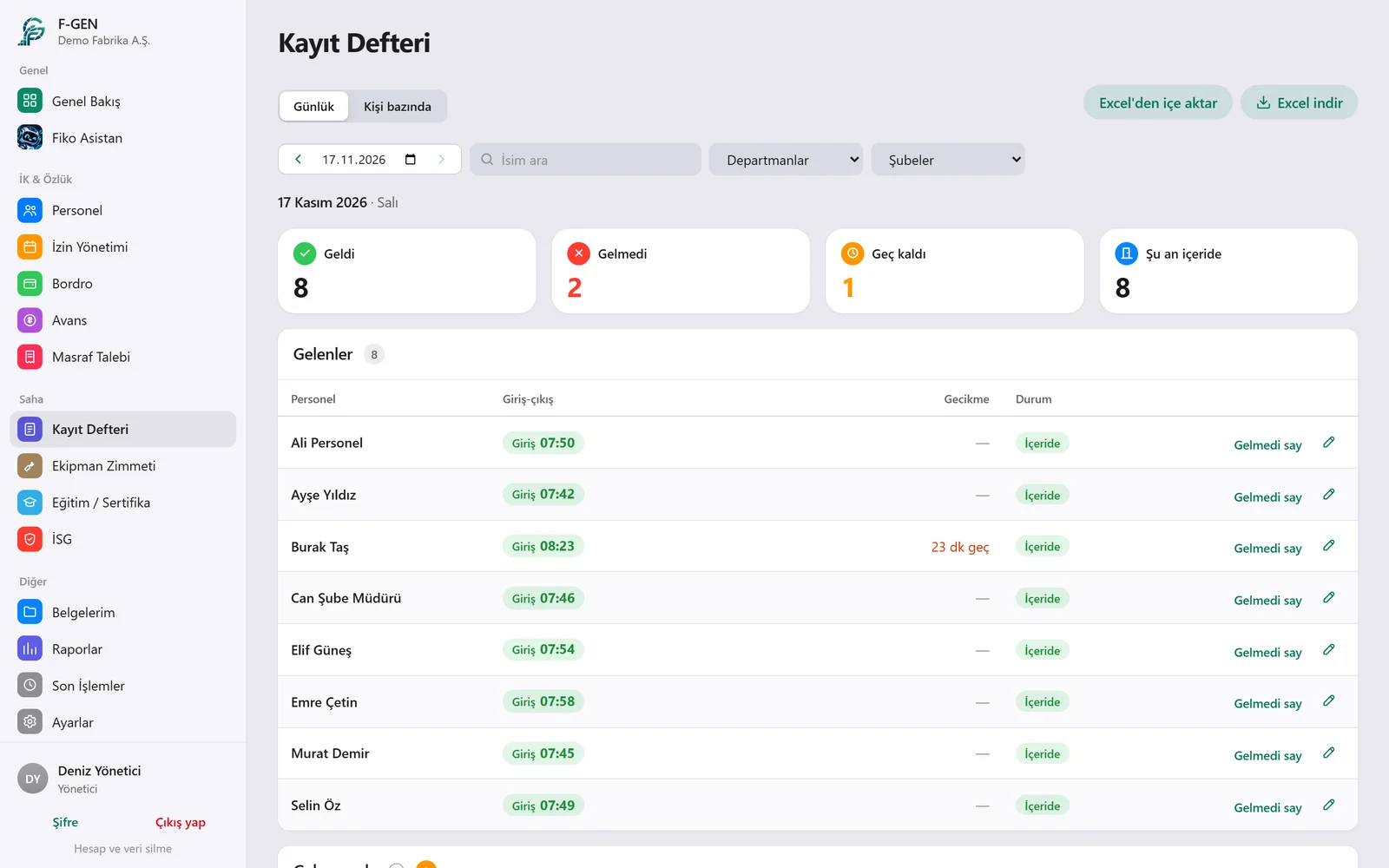
Clock-in records go into the timesheet automatically every day. You see who came in, who was late and who is on leave, by day and by person.
How it works
Step by step
Daily view
All clock-ins, late arrivals and absences of the selected day in one list.
Personal view
Every day of an employee’s month with total and missing hours.
Corrections
You complete a forgotten record by hand; the change is saved with the name of the person who made it.
Reports
Export the timesheet to Excel or PDF.
Details
What you can do with Timesheets and Attendance Log
Tracked correctionsEvery manual change is kept with the old and new time and the name of the editor.
Department and branch filtersNarrow the lists down by department or branch.
Import from ExcelBring your past records into the system from Excel.
Weekends and holidaysWeekend and public holiday work is marked separately.
Break deductionBreak times are deducted from working time.
NotificationsThe admin is notified when someone is late or absent.
Questions
Frequently asked
Can I look at past months?
Yes, pick any day or month to look back.
Who can make corrections?
Only the admin and the HR staff you authorise.
Can employees see their own records?
Yes, they see their own clock-ins and late arrivals in the app.
Try it free for 14 days.
We open an account for your company and help with setup and importing your employees.