 F-GEN
Home / Features / Leave Management
Leave Management
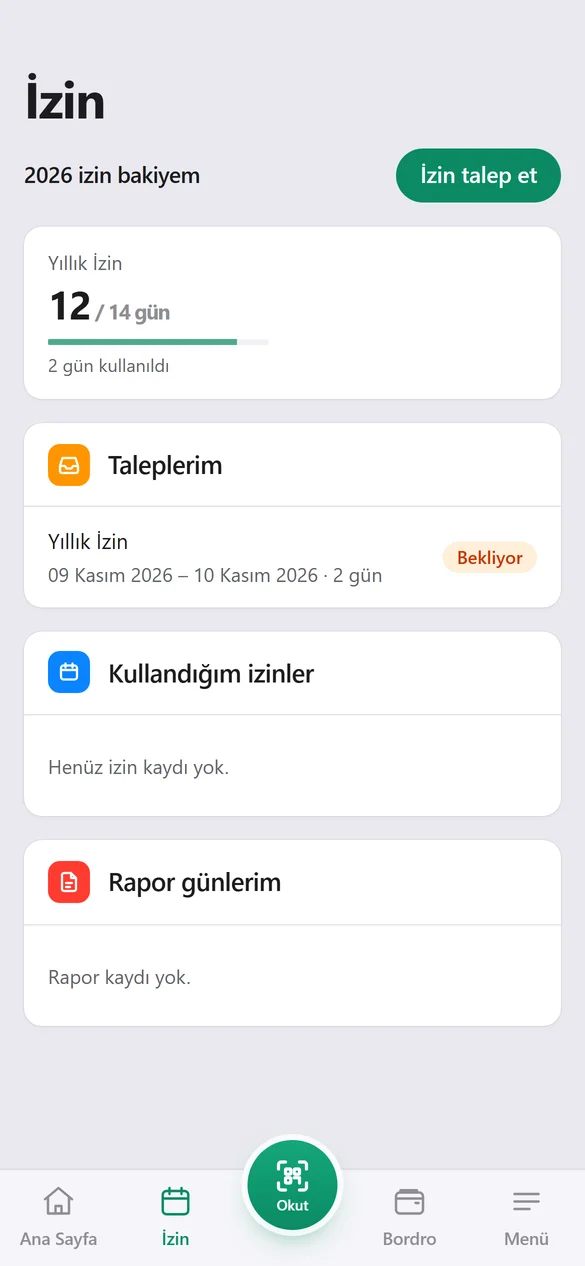
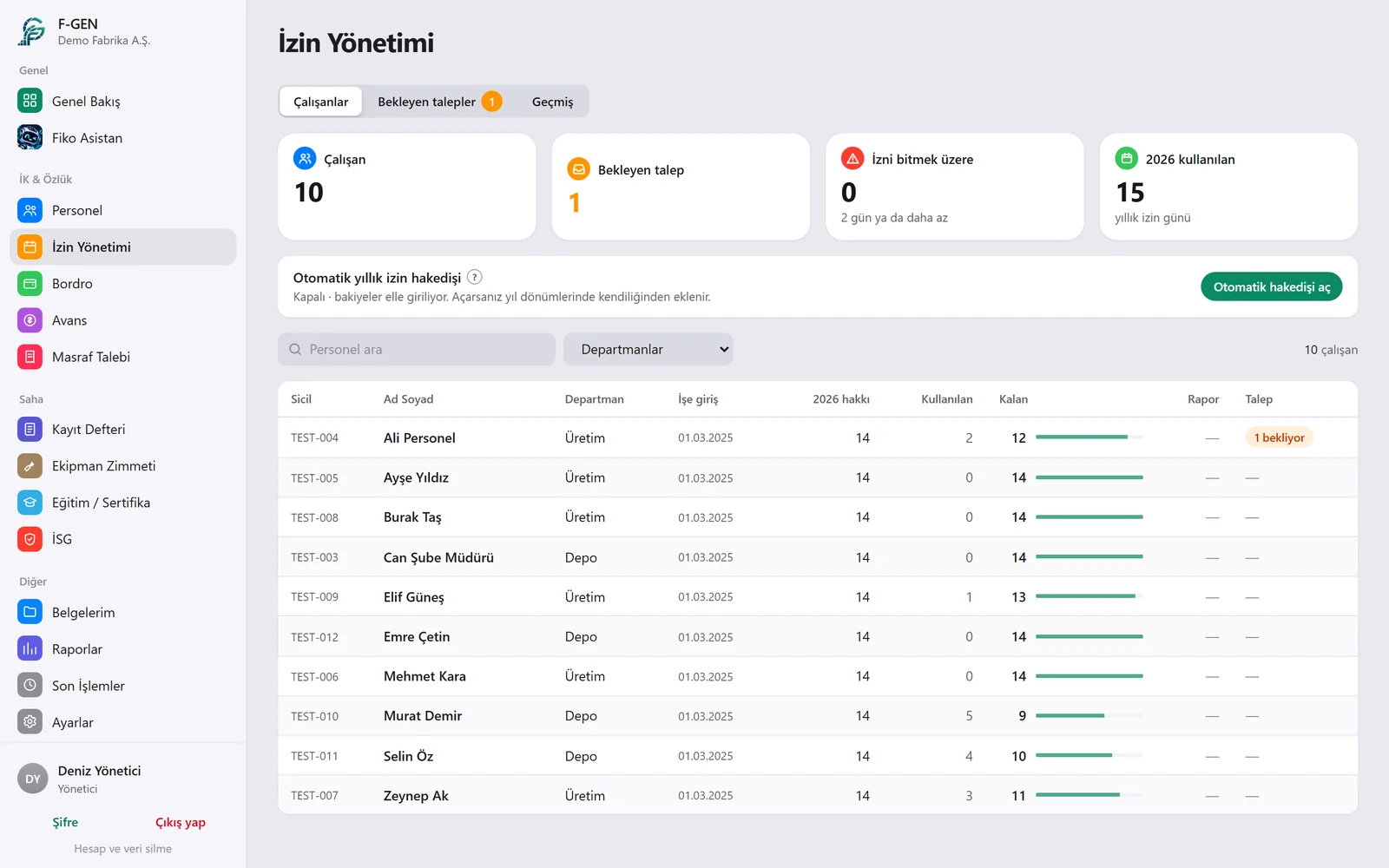
Annual leave entitlements are calculated by seniority. Employees send requests from the app, you approve them, and the balance updates itself.
How it works
Step by step
Request
The employee sends the leave type, dates and a note from the app.
Approval
The manager gets a notification and approves or rejects with one tap.
Balance
Approved leave is deducted from the balance and the employee is notified.
Timesheet
Leave days go into the timesheet and payroll automatically.
Details
What you can do with Leave Management
Entitlement by seniorityAnnual leave is calculated from the start date and age, in line with the law.
Leave typesAnnual, compassionate, sick, unpaid leave and types you define.
Half daysHalf-day leave is tracked too.
AnniversaryYou see in advance when the next entitlement starts.
Negative balance checkPeople who used more leave than they are entitled to are listed.
Leave reportWho used how much and how much is left, in one report.
Questions
Frequently asked
How do I enter past leave?
You can enter remaining leave from previous years by hand at the start.
Do sick days affect payroll?
Yes, sick days are calculated separately in payroll.
Can employees see their remaining leave?
Yes, they see their remaining and used leave in the app.
Try it free for 14 days.
We open an account for your company and help with setup and importing your employees.